
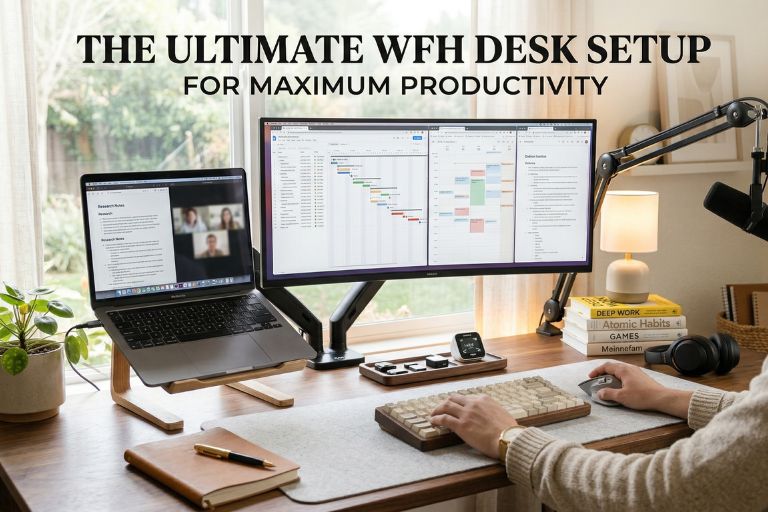
A messy desk leads to a messy mind. When you run digital marketing campaigns, write a lot of content, or manage a side hustle, your work area matters. Your environment controls how much you get done.
Most work-from-home (WFH) desk setups are thrown together at the last minute. This often leads to bad back pain, tired eyes, and a lack of focus. If you want to work smart and make more money, you need a space built for success.
This guide shows you exactly how to build a high-performance WFH Desk setup for maximum productivity. We will cover everything from the best ergonomic chairs to clever DIY organization hacks.
Key Takeaways
- A clean and organized workspace directly boosts your daily output and focus.
- Investing in a high-quality, ergonomic office chair is the best thing you can do for your posture and health.
- You do not need a massive budget to build a great setup; you can sell old tech to fund new upgrades.
- Simple DIY hacks, like making reusable physical checklists, can keep you on track without digital distractions.
- Proper monitor height and invisible cable management reduce physical pain and mental stress.
1. The Foundation: Desk Selection and Spatial Design
Your desk is the base of your whole operation. Choosing the right one sets the tone for your workday.
Choosing the Right Desk for Your Workflow
You have two main choices: a standing desk or a traditional sitting desk. Standing desks are great because they let you move around. According to Healthline, standing after lunch can help prevent blood sugar spikes and boost your energy.
When you pick a desk, look closely at the depth. You need enough room for your keyboard, mouse, and multiple monitors. If your desk is too shallow, your screens will sit too close to your face. This causes severe eye strain. A depth of at least 24 to 30 inches is ideal for side-by-side research and writing.
Built-In and Custom Solutions
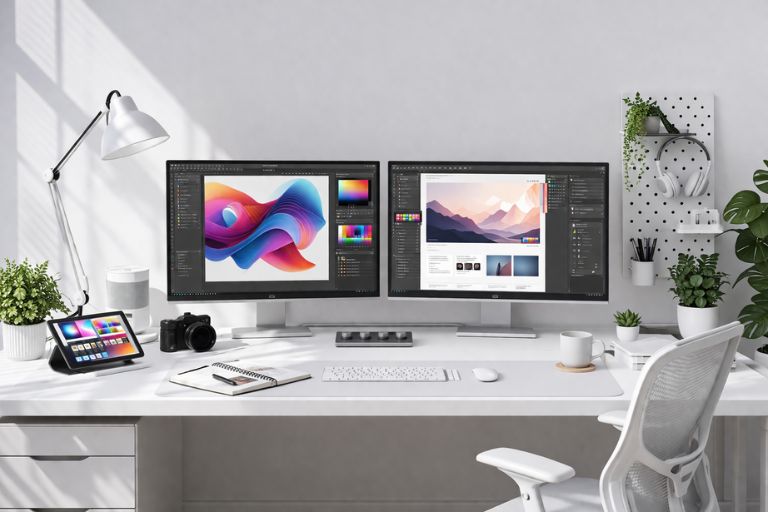
If you own your home, think about built-in desks. You can build a custom desk into your room’s existing walls. Custom-fitted office units look like clean, modern kitchen cabinets or fitted wardrobes. They give you a ton of storage space without making the room look cluttered. This keeps your home looking like a home, not a corporate cubicle.
Lighting and Positioning
Never put your desk with your back to a bright window. The glare on your screen will make it impossible to work. Instead, use the 90-degree rule. Place your desk so the window is to your left or right side. This gives you natural light without the harsh glare.
You also need layered lighting. Do not just rely on the main ceiling light. Add a good desk lamp for focused reading. A warm-colored bias light behind your monitor can also reduce eye strain in dark rooms.
2. Ergonomics: Investing in Your Posture
Working hard should not mean living in pain. Ergonomics is the science of making your workspace fit your body perfectly.
The Anatomy of a Perfect Office Chair
If you spend eight hours a day at a desk, your chair is your most important tool. Do not buy a cheap dining chair. You need a real office chair with strong lumbar (lower back) support.
Make sure the armrests adjust up and down. If your arms hover in the air while you type, your neck will hurt by 5:00 PM. Also, choose a chair made of breathable mesh instead of cheap leather. Mesh keeps you cool during long summer work sessions.
Sourcing the Best Seating
Buying a good chair is an investment in your health and your business. Look for brands with long warranties and solid build quality. If you want to support local manufacturing while getting top-tier quality, read our full guide on the Best Office Chair Brands Made in the USA. We break down the exact models that will fix your posture and last for years.
Monitor Height and Eye Level
Your monitor must be at the correct height. When you sit up straight, your eyes should look directly at the top one-third of your screen. If you look down, you will strain your neck.
Buy a monitor arm that clamps to the back of your desk. Monitor arms free up valuable desk space underneath your screens. They also let you adjust the screen height perfectly to prevent neck pain during long writing tasks.
3. The Digital Arsenal: Tech and Cable Management
The tech you use everyday speeds up your workflow. But bad cable management will ruin the look of your expensive gear.
Single vs. Dual vs. Ultrawide Monitors
Having more than one screen changes everything.
- Dual Monitors: Great for having your email on one side and your work on the other.
- Ultrawide Monitors: These are massive, wide screens. They are perfect for viewing large spreadsheets, video editing timelines, and website analytics all at once without a split down the middle.
Keyboards and Mice
If you type a lot, get a mechanical keyboard. The keys have a satisfying click and bounce back fast, which can increase your typing speed.
You should also look into a vertical ergonomic mouse. A normal mouse forces your wrist to twist flat against the desk. A vertical mouse lets your hand rest sideways, like you are shaking hands with someone. This simple change can prevent Carpal Tunnel Syndrome and Repetitive Strain Injury (RSI).
Invisible Cable Management
A desk covered in tangled wires creates mental stress. You want a clean, wire-free look. You can achieve this by using under-desk cable trays, neoprene cable sleeves, and cheap zip ties.
Gather all your wires, wrap them in a sleeve, and strap them under the desk. A clean desk lowers your cognitive load, helping you focus strictly on your side hustle.
Need a visual guide? Check out this great YouTube video on how to hide your wires:
4. Working Smart: DIY Organization & Analog Tools
Even in a digital world, sometimes the old-school ways work the best.
The Power of Physical Checklists
Digital apps are great, but they live on your screen next to YouTube and social media. When you open a tab to check your to-do list, you might get distracted.
Keeping a physical, analog checklist on your desk stops tab-switching distractions. Crossing off a task with a real pen builds momentum and makes you feel accomplished.
Creating Reusable Productivity Trackers
You do not need to print a new checklist every single day. You can make a reusable one right at your desk. Create a daily habit tracker or SEO checklist, print it, and laminate it. Then, you can use a dry-erase marker to check things off and wipe them clean the next morning.
You don’t even need expensive equipment to do this. Read our clever DIY guide on How to Laminate at Home Without a Machine to create your own permanent productivity trackers using items you already have.
Desk Accessories That Add Value
Keep your desk accessories to a minimum. Too much stuff becomes clutter. Here is all you really need:
- A high-quality, insulated water bottle to stay hydrated.
- A simple tray to hold your pens and flash drives.
- A small desk plant. Studies show that having a bit of green nature near your workspace improves your mood and reduces stress.
5. Upgrading Your WFH Desk Setup: How to Fund Your New Gear
Building the ultimate setup sounds expensive, but it does not have to drain your bank account. You can fund your new office chair or ultrawide monitor by working smart.
Selling Old Office Tech
Take a look around your house. You probably have old computer monitors, extra keyboards, or outdated laptops sitting in a closet. Clean them up, take good pictures, and list them on secondary markets like eBay or Facebook Marketplace. You can use the cash from your old gear to buy your new setup.
Navigating E-Commerce Hurdles
Selling items online is a great side hustle. However, platforms like eBay have strict rules for new sellers. If you sell too many tech items too fast, they might pause your account for a security check.
If you run into trouble while trying to sell your old gear, do not panic. We have a complete step-by-step guide on what to do if you are dealing with a Suspended eBay Account. It will help you get your account back online so you can finish funding your dream desk.
Conclusion & Next Steps
Your desk setup is an investment in your earning potential. When you are comfortable, organized, and focused, you can work faster and make more money.
You do not have to buy everything today. Start by upgrading just one element this week. Fix your cable management or start shopping for a better chair. Once your workspace is optimized, check out our other guides to learn how to find the best high-paying gigs and turn your free time into real income.
Frequently Asked Questions (FAQ)
What is the most important part of a WFH setup? The most important part is your office chair. A highly adjustable, ergonomic chair protects your spine, prevents back pain, and allows you to work comfortably for longer periods.
Is a standing desk really worth it? Yes. Alternating between sitting and standing throughout the day improves blood flow, boosts energy levels, and reduces the strain on your lower back.
How can I make my desk look cleaner? The fastest way to a cleaner desk is cable management. Use zip ties and under-desk trays to hide all power cords and monitor cables out of sight. Keep physical clutter to a minimum.
Do I need two monitors for working from home? While you do not need two monitors, having a second screen (or one ultrawide monitor) greatly speeds up tasks like writing, data entry, and research because you do not have to constantly click between windows.